Skip to main
University-wide Navigation

In Person | Explore Microsoft 365: Working Together (101)

Take a hands-on tour of how Microsoft 365 supports everyday work—from organizing and storing files to collaborating effectively in Microsoft Teams and using Copilot Chat. You'll explore how OneDrive, SharePoint, and Teams work together to enable shared file ownership, version control, and real-time collaboration, then preview how Copilot Chat builds on this foundation to summarize information, interpret documents, support meetings, and generate content with built-in data protection.

In Person | Copilot in PowerPoint: From Ideas to Presentations (108)

Transform your presentation creation process with Microsoft 365 Copilot in PowerPoint. Learn how to generate slide decks from prompts or existing documents, create compelling narratives, refine content, and enhance presentations with AI-powered design assistance. Through demonstrations and practical examples, discover how Copilot can help you spend less time building slides and more time focusing on your message.

In Person | Copilot in Excel: Analyze Data with Confidence (109)

Unlock new ways to work with data using Microsoft 365 Copilot in Excel. Learn how AI can help you explore datasets, identify trends, create formulas, and generate insights without needing advanced spreadsheet expertise. This session focuses on practical examples that help faculty and staff make better use of their data.   

Virtual: Copilot in Excel: Analyze Data with Confidence (109)

Unlock new ways to work with data using Microsoft 365 Copilot in Excel. Learn how AI can help you explore datasets, identify trends, create formulas, and generate insights without needing advanced spreadsheet expertise. This session focuses on practical examples that help faculty and staff make better use of their data.   

Virtual: Copilot in PowerPoint: From Ideas to Presentations (108)

Transform your presentation creation process with Microsoft 365 Copilot in PowerPoint. Learn how to generate slide decks from prompts or existing documents, create compelling narratives, refine content, and enhance presentations with AI-powered design assistance. Through demonstrations and practical examples, discover how Copilot can help you spend less time building slides and more time focusing on your message.   

In Person: Copilot in PowerPoint: From Ideas to Presentations (108)

Transform your presentation creation process with Microsoft 365 Copilot in PowerPoint. Learn how to generate slide decks from prompts or existing documents, create compelling narratives, refine content, and enhance presentations with AI-powered design assistance. Through demonstrations and practical examples, discover how Copilot can help you spend less time building slides and more time focusing on your message.   

In Person: Increased Productivity with Copilot (107)

Examine where your time really goes and learn how to reclaim hours each week with Copilot-powered efficiencies. Through practical use cases, you'll see how Copilot reduces administrative overhead, enhances communication, and accelerates content creation, helping educators and staff focus more on high-value work.   

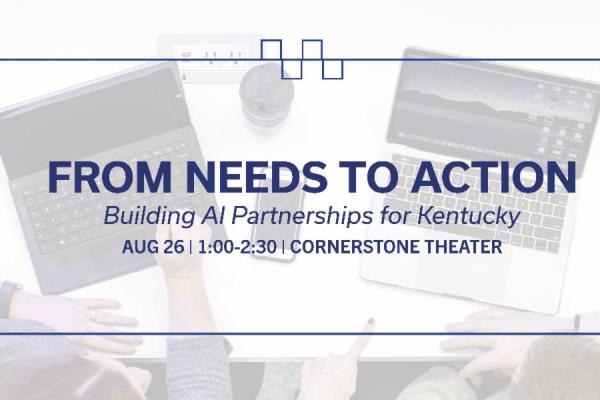
From Needs to Action: Building AI Partnerships for Kentucky

Join the EDC for our August Convening, From Needs to Action: Building AI Partnerships for Kentucky   Full agenda and details to come.   Stick around after the program for networking and refreshments with colleagues.   Register

In Person: Copilot in Outlook: Reclaim Your Inbox (106)

Reduce email overload and improve communication efficiency with Microsoft 365 Copilot in Outlook. Learn how AI can help summarize email threads, draft responses, prepare for meetings, and manage your daily communications more effectively. This session highlights practical workflows that save time and help you focus on higher-value work.    

In Person: Communications in Microsoft 365 with Copilot (105)

Explore how Microsoft 365 Copilot supports clear, effective communication across Outlook, Teams, Word, OneNote, and PowerPoint. In this hands-on session, participants will see how Copilot helps draft, revise, summarize, and locate messages; recap meetings and action items; and turn ideas into polished documents and presentations.